Virtual pet apps can look similar in a store listing, but they create very different kinds of relationships. The useful question is not simply which app has more features. It is what you want to do with the pet after it appears on your phone.
PetPip brings several stages into one experience: begin with a photo, an in-app drawing, or an official companion; hatch the pet; care for it; spend focus time together; follow its growth; and see a familiar face as you use your phone. Other apps in this comparison concentrate more heavily on detailed care statistics, pixel art, children’s drawing activities, or device decoration.
This guide compares those different approaches so you can see which experience matches the way you want a mobile companion to fit into your day.
Disclosure: PetPip publishes this guide. Competitor details come from the official websites or developer store descriptions linked below, checked on October 15, 2026. We have not independently tested each competing app.
The experiences at a glance
| App | The experience begins with… | What continues afterward |
|---|---|---|
| PetPip | A photo, an in-app drawing, or an official companion | Hatch, feed, spend quiet time together, watch it grow, and keep it nearby on your phone |
| Pex | A photo, a drawing, or a preset pet | Tamagotchi-style needs and broad device support described by the developer |
| SpritePals | A pet photo or a ready-made pixel pal | Pixel-style care, levels, widgets, Live Activities, and Apple Watch complications |
| DoodlePet | A photographed paper drawing | Child-focused play in a Pet Room and Zoo Canvas |
| Pixel Pals | A catalog of designed pixel animals | Widgets, Live Activities, Dynamic Island, and device customization |
The main PetPip difference is the continuity between a meaningful starting point and an ongoing routine. Personal creation, care, growth, and screen presence are parts of the same companion experience rather than separate tools.
What PetPip combines in one experience
Your companion can begin with something meaningful
A photo already carries a memory. A drawing already contains your imagination. PetPip lets either one become the starting point for a companion, so the result can carry more personal meaning than a character selected only from a preset catalog.
You are not limited to personal images, either. If you want to start immediately, you can discover an official PetPip companion and make it your own through care and time together.
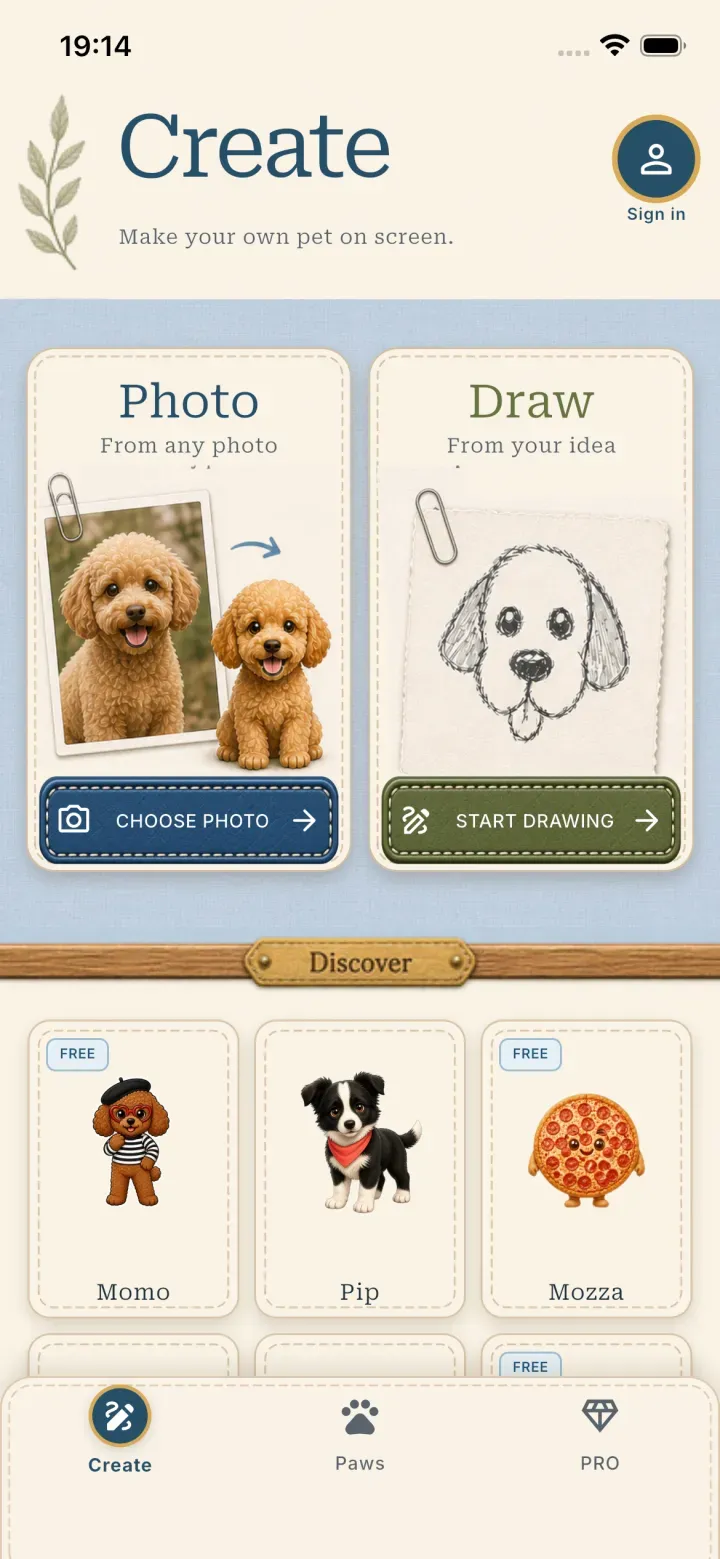
PetPip’s starting choices make the source of the companion part of the experience, not just a later cosmetic setting.
The creation is the beginning, not the finish line
The experience does not stop when the character is created. In Paws, the companion hatches, responds to touch, can be fed, joins you during Focus time, and progresses as you care for it.
This gives the app a simple emotional rhythm: create, care, grow together. The pet becomes part of your routine instead of remaining a saved image you forget.
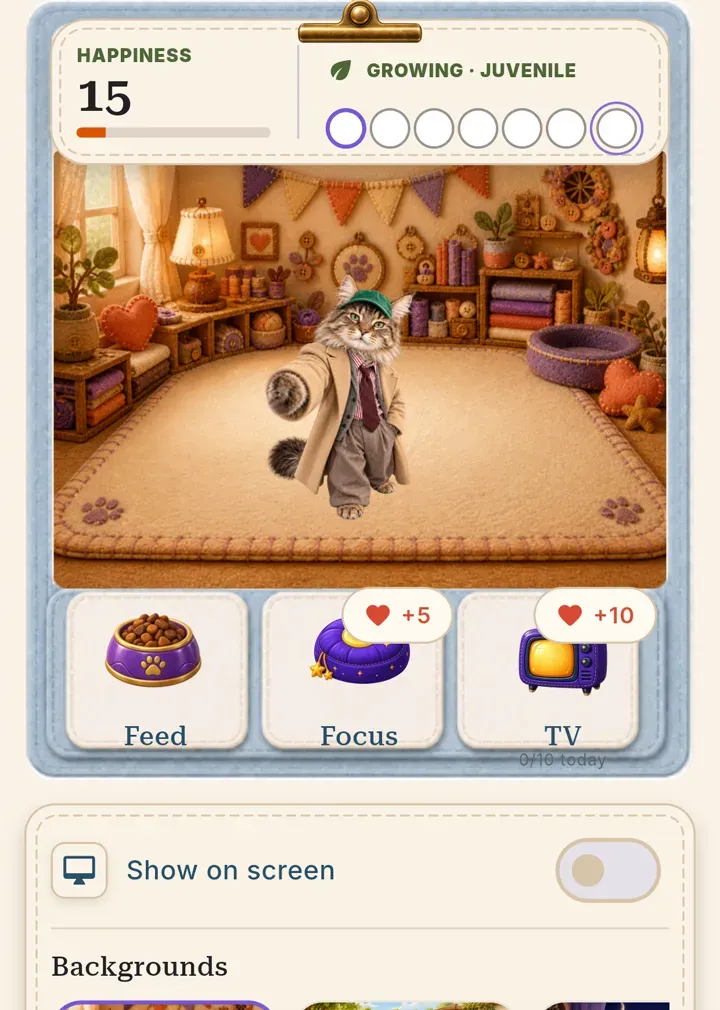
Care actions and visible growth turn a personal creation into a companion you have a reason to revisit.
Your pet can stay close when the app is closed
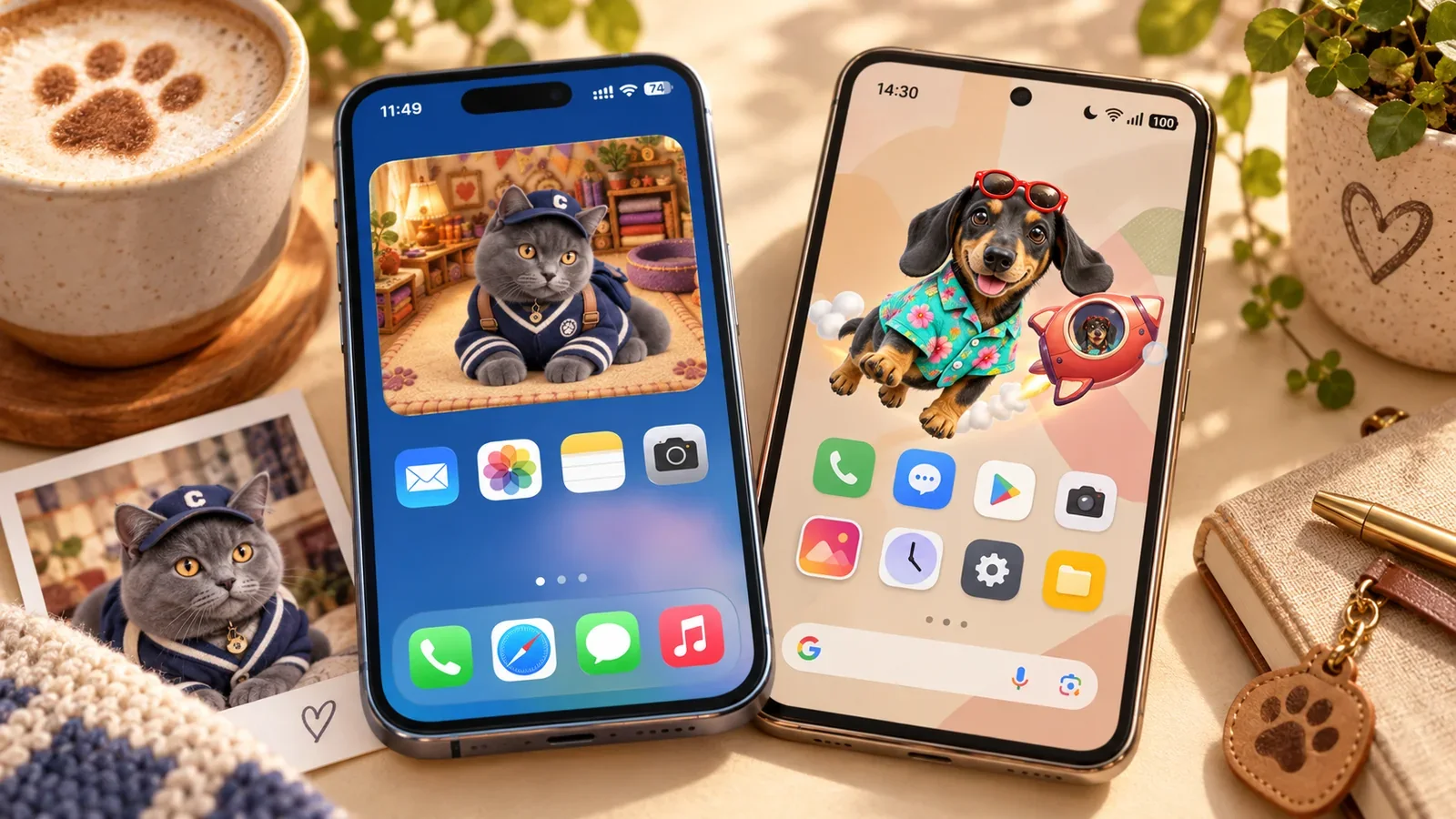
On iPhone, you can give your pet a little room beside your app icons, see it when you check the Lock Screen, or spot it at the top of a phone with Dynamic Island. It is a familiar face waiting in the places you already look throughout the day.
On Android, the pet can join you outside PetPip while you use other apps. Move it to a comfortable spot, notice it peeking from the edge, or watch it take a little ride in its chosen spacecraft. A familiar pet in a tiny rocket gives an ordinary phone moment a bit of personality.
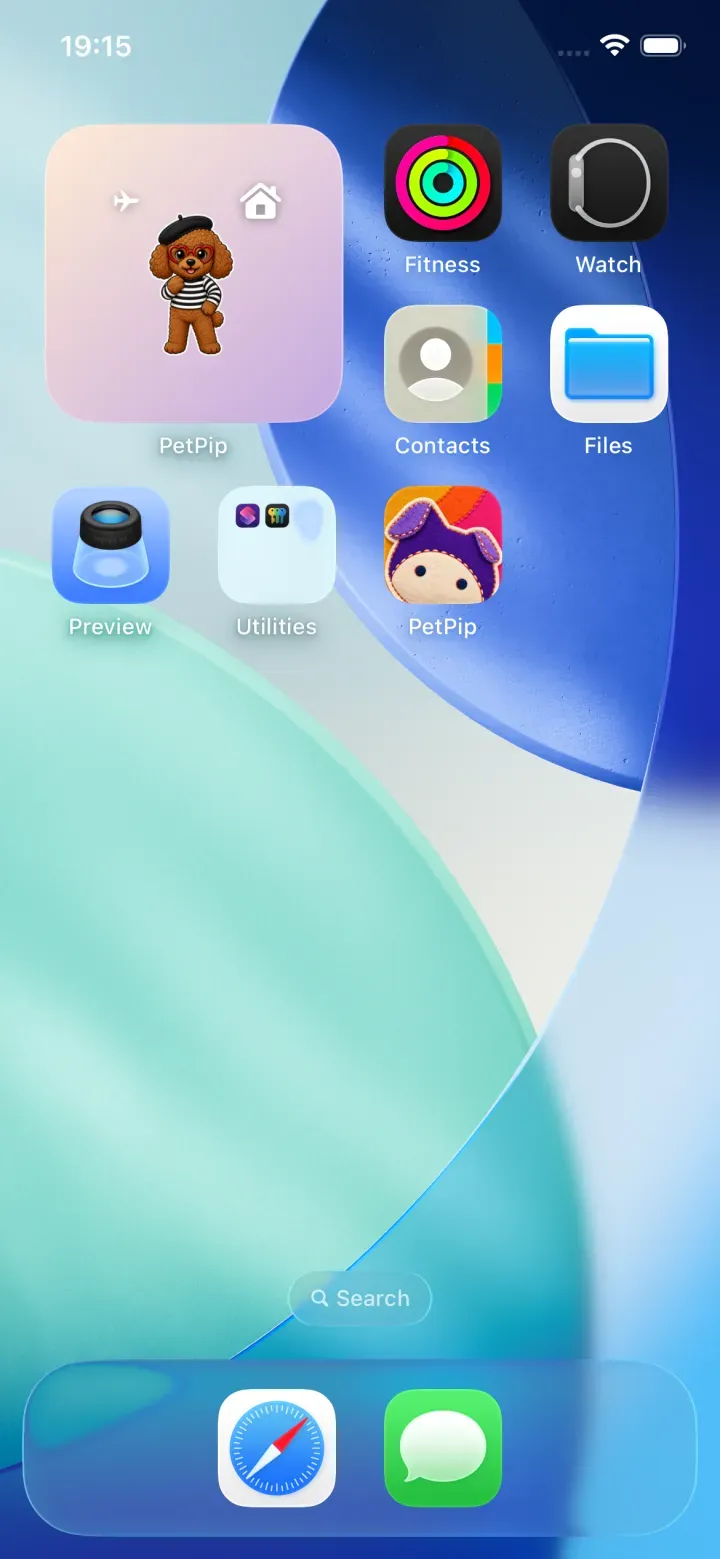
A small room on your Home Screen gives you a familiar place to look for your companion.
It gives you more than one way to connect
Some days you may want to play or care for your companion inside the app. On other days, simply seeing it on your phone is enough. PetPip supports both: active interaction when you want it and a gentle presence when you do not.
AI creation uses available generation credits. The app shows your allowance and any optional PRO plan terms, so you can review them before deciding.
Where will your companion fit into your day?
Think about the moments when you would enjoy seeing your pet. Is it the first glance at your phone in the morning, a quick check between tasks, or a little visit while you are using another app?
On iPhone, your companion can have a regular spot on the Home Screen and join a glance at the Lock Screen or Dynamic Island. This suits someone who likes knowing exactly where to find a familiar face.
On Android, the floating pet feels more like a little visitor: you can move it while using your phone and enjoy its peeking and spacecraft moments. This suits someone who wants the character to join more of what they are already doing.
On either phone, you still return to the same companion to feed it, spend time together, and watch it grow. The choice is about the kind of everyday company you enjoy, not which phone has the longest feature list.
Where the other apps focus
The alternatives place more weight on particular parts of the experience:
- Pex: detailed changing care statistics, Apple Watch, and the cross-device support described by its developer.
- SpritePals: a retro pixel-art interpretation of a real pet, plus Apple Watch complications.
- DoodlePet: helping a child turn a paper drawing into a playable character.
- Pixel Pals: a large ready-made pixel catalog and extensive device customization.
PetPip differs by linking a personal source, an ongoing care loop, visible growth, and screen presence. None of those elements has to carry the entire experience by itself.
Which experience will you want to return to?
Feature lists matter less than the relationship an app makes possible. A preset pixel pet, a detailed status system, and a child’s drawing activity can each be the right center for a different person.
PetPip’s center is the journey from something meaningful to you to a little companion that becomes part of your day. A photo or drawing can lead into hatching, care, focus time, growth, and a continued presence on your phone. That connected journey is the part to compare—not simply the number of pets or widgets in a listing.
Official sources
- Pex: official website describes photo and drawing creation, care needs, widgets, and supported devices.
- SpritePals: developer description on the App Store describes photo-based pixel pets, care, levels, screen surfaces, and Apple Watch features.
- DoodlePet: developer description on the App Store describes paper drawings, Pet Rooms, and Zoo Canvas.
- Pixel Pals: developer description on the App Store describes its pixel-animal catalog, widgets, and Live Activities.
The comparison summarizes these developers’ descriptions, not independent performance, privacy, or child-safety testing. Check each app’s current listing for compatibility, purchases, and availability in your region.